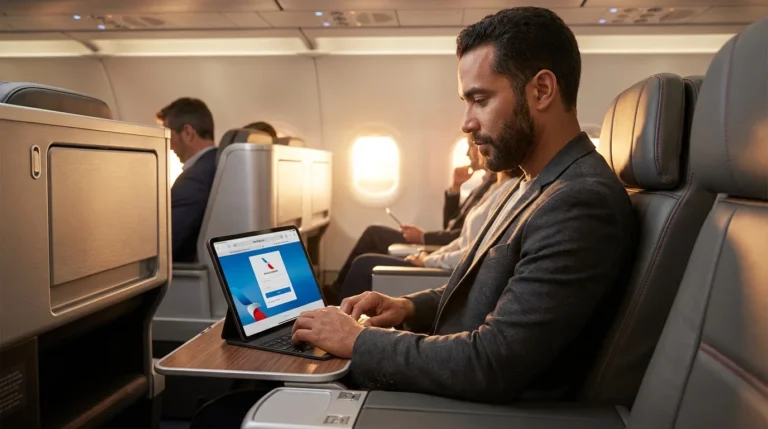
For years, I’ve treated American Airlines Wi-Fi as a necessary evil—a $10 to $35 “tax” I paid on every segment to stay connected. While Delta unlocked free fast Wi-Fi for SkyMiles members back in 2023 and JetBlue has offered it gate-to-gate for a decade, American remained the stubborn holdout, relying on a patchwork of subscription plans and T-Mobile partnerships.
That era ended this week. American Airlines officially flipped the switch on free high-speed connectivity for AAdvantage members. But before you cancel your monthly subscription or celebrate too hard, you need to understand the hardware limitations. This isn’t a magic wand that upgrades every plane overnight.
Here is the deep-dive analysis on how to get online, which planes are actually excluded, and why your next flight to London might still cost you $35.
The News: Free Wi-Fi for AAdvantage Members
American Airlines has finally caught up to the industry standard. The new offering uses an ad-sponsored model (backed by AT&T) to deliver gate-to-gate internet access on the majority of the domestic fleet. This isn’t the slow, data-capped “messaging only” tier of the past; this is full-bandwidth streaming capability.
The system relies on Viasat and Intelsat (formerly Gogo 2Ku) satellite receivers. In my testing on Viasat-equipped 737s, download speeds consistently hit 50–60 Mbps—easily enough to stream Netflix or join a Zoom call without the dreaded “packet loss” stutter.
Who Is Eligible?
There is zero cost, but there is a data gate. You must be an AAdvantage member. If you try to log in as a “Guest,” the portal will prompt you to pay. If you aren’t a member, you can sign up for free onboard, but I highly recommend creating your account while you’re still on the ground to avoid fumbling with email verification at 30,000 feet.

The Critical “Gotcha”: The Panasonic Problem
This is the section most travel blogs gloss over. American Airlines operates a mixed fleet with three different Wi-Fi providers: Viasat, Intelsat, and Panasonic. Only the first two are free.
The older Panasonic Ku-band system is primarily installed on the widebody fleet—specifically the Boeing 777-200, 777-300ER, and older 787-8 Dreamliners. These are the planes you typically fly on long-haul international routes (e.g., JFK to LHR, LAX to SYD).
Because the Panasonic system has significantly lower bandwidth capacity than Viasat’s Ka-band satellites, American cannot open the floodgates to free users without crashing the entire network. As a result, if you step onto a 777 tomorrow, you will likely still see a paywall asking for $29–$35 for a flight pass.
⚠️ Warning: Check Your Aircraft Type
If your reservation says Boeing 777-300ER or Boeing 777-200, assume you will have to pay. The free rollout is currently focused on the Domestic Narrowbody (737, A320, A321) and Regional (Embraer E175) fleets.
Step-by-Step: How to Connect
Inefficiency kills productivity. Don’t waste ten minutes troubleshooting. Follow this exact protocol to get online the second the boarding door closes.
- Pre-Flight: Ensure you know your AAdvantage number and password. FaceID won’t help you if the app doesn’t autofill on the web portal.
- Boarding: Enable Airplane Mode and turn Wi-Fi ON.
- Network Selection: Connect to the network named
aainflight.com. - Portal Access: If the splash page doesn’t load automatically, open your browser and type
aainflight.com. - The Login: Click the banner that says “Complimentary Wi-Fi for AAdvantage Members.” Do not click “Get Access” under the paid plans.
- Authentication: Enter your AAdvantage number and password. You may be asked to watch a short 15-30 second ad from AT&T.
Pro Tip: If you are using a VPN (and you should be), keep it OFF during the authentication process. Once the connection is established and stable, then toggle your VPN on. American’s login portals often hang if they detect an active VPN tunnel during the handshake.
The Math: How Much Are You Saving?
Let’s crunch the numbers. I track my “cost per connected mile” religiously. In 2025, the average cost of a domestic flight pass on AA was roughly $15. The monthly subscription plan was $49.95 (single device) or $59.95 (two devices).
Scenario A: The Occasional Flyer (10 flights/year)
Old Cost: 10 flights x $15 = $150/year
New Cost: $0
Result: pure savings.
Scenario B: The Road Warrior (40 flights/year)
Old Cost: $49.95/month x 12 = $599.40/year
New Cost: $0 (assuming mostly domestic travel)
Result: You just saved enough to buy a round-trip economy ticket to Europe.
However, if you fly internationally on widebodies frequently, you are in a limbo state. You no longer need the domestic subscription, but you will still be hit with $35 charges on your international legs. Unfortunately, there is no “International Only” subscription anymore—you simply pay per flight.
For more on optimizing your travel costs, check out our guide on the Beginner Credit Card Setup, which helps you identify cards that might offset these remaining incidental fees.
Competitive Landscape: AA vs. Delta vs. United
How does this stack up against the competition in 2026? It’s a tight race, but hardware matters more than policy.
| Airline | Cost | Technology | Coverage Reliability |
|---|---|---|---|
| American | Free (Members) | Viasat / Intelsat | High (Domestic) / Low (Int’l Widebody) |
| Delta | Free (Members) | Viasat | Very High (Global Rollout near complete) |
| United | Free (Rolling out) | Starlink | Game Changer (Low Latency) |
| JetBlue | Free (Everyone) | Viasat | High (Gate-to-Gate) |
United is currently deploying Starlink, which is the superior technology due to its Low Earth Orbit (LEO) latency. American’s Viasat is fast, but it’s geostationary, meaning ping times are higher. For a full breakdown of the Starlink rollout, read our report on Airlines With Starlink WiFi: The Complete List (2026).
FAQ: Common Questions
Frequently Asked Questions
Does this work on American Eagle regional flights?
mostly yes. American has upgraded over 500 of its dual-class regional jets (Embraer E175s) with high-speed Intelsat Wi-Fi. If you are on a tiny 50-seater (ERJ-145), you likely won’t have Wi-Fi at all, paid or free.
Do I need to be an AT&T customer?
No. While AT&T is the sponsor, the service is carrier-agnostic. You only need an AAdvantage account. T-Mobile customers may still see specific branding, but the AAdvantage login supersedes it.
Can I stream video like Netflix or YouTube?
Yes. The Viasat and Intelsat systems are designed for high-bandwidth activities. However, live streaming (like Twitch) may suffer from latency issues compared to Starlink-equipped flights.
I have a monthly AA Wi-Fi subscription. Should I cancel it?
If you fly primarily domestic routes (narrowbody aircraft), cancel it immediately. You are paying for something that is now free. If you fly exclusively international widebodies, the subscription doesn’t work there anyway (it was always domestic/near-international only), so you should still cancel it.